



















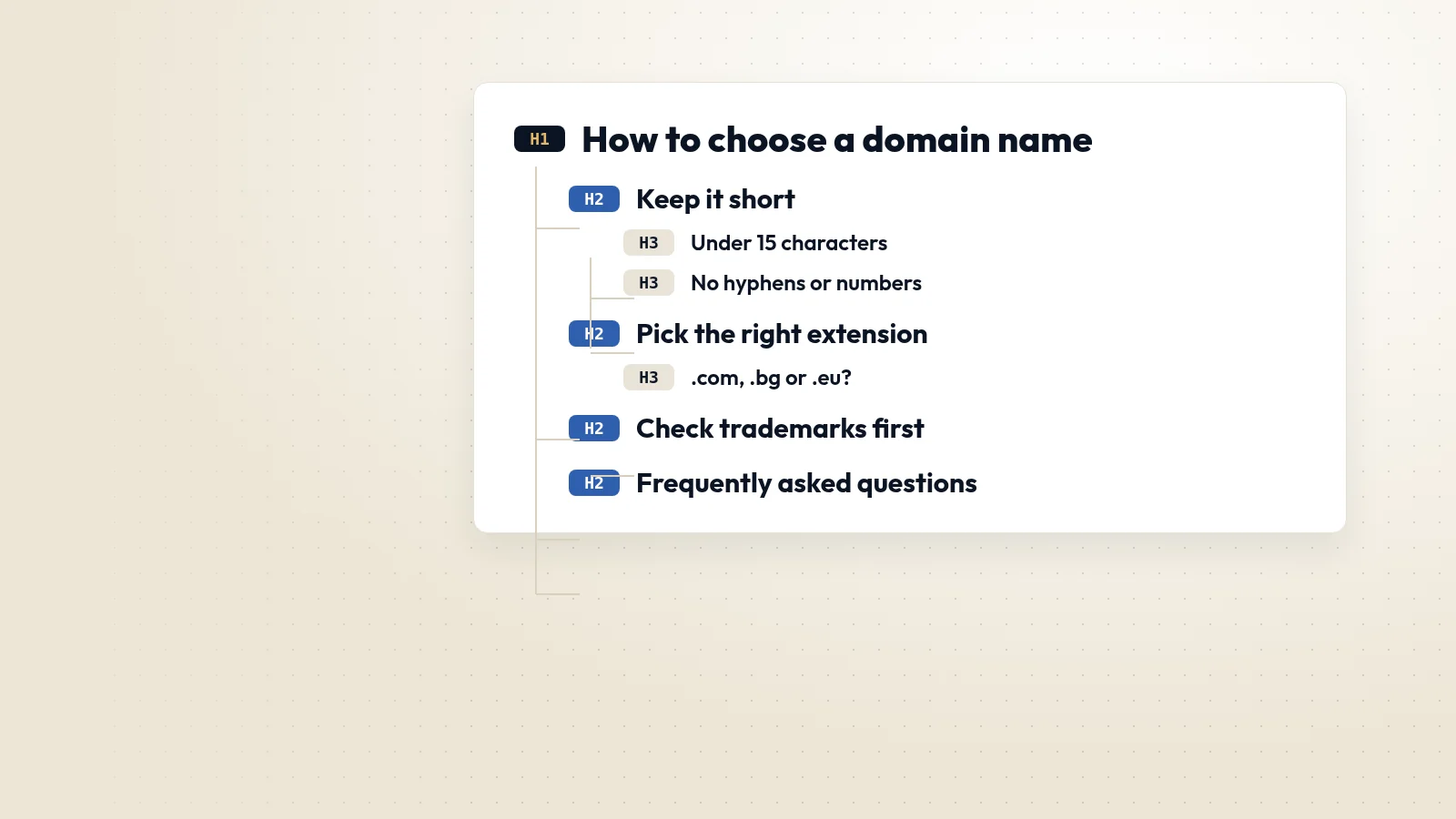
Headings are the outline of a page. They tell readers what each section is about, let screen-reader users jump between sections, and help search engines understand which part of the page answers which question. A page with a clear heading structure is easier to read, easier to rank and easier to maintain.
How heading levels work
HTML has six heading levels, from H1 to H6. Think of them as the chapters and sub-chapters of a document:
- H1 is the main title of the page. Use one, and make it describe the page's topic.
- H2s are the main sections.
- H3s are sub-sections inside an H2, and so on.
- Do not skip levels just to get a smaller font, for example jumping from H2 to H4. Change the size with CSS instead.
Write headings that describe the content
A heading should tell the reader what the next section contains. "Pricing" is better than "Read more"; "How long a website migration takes" is better than "Timeline" on a long guide. Descriptive headings help people scan, and they give search engines strong clues about the topics you cover. Questions work well as headings when the section answers a common question.
Common mistakes we fix
- Several H1s on one page, often because the logo or a slider title is marked up as H1.
- Headings used for styling, such as a bold sentence in a sidebar marked as H2.
- Important sections with no heading at all, hidden in long blocks of text.
- Headings that repeat the same keyword over and over without saying anything new.
- Templates where the real page title is a plain paragraph and a generic site name is the H1.
Structure helps accessibility
Screen-reader users often navigate by headings, listening to the list of headings first and then jumping to the section they want. A logical outline turns a long page into a usable table of contents. Accessibility standards such as WCAG treat clear headings as part of making content perceivable and navigable.
Structure helps search
Google reads headings to understand the content of a page. A well-structured page also makes it easier for search engines to pull a specific section into a featured snippet or to show it for a longer, more specific query.
How to check your pages
Browser extensions and tools such as Lighthouse or a site audit can list every heading on a page in order. Read the list on its own: if it works as a table of contents, your structure is right.